Your storages full. Your PC still yours.
Raid Workshop farms Clash of Clans on Google Play Games for Windows: it picks bases worth attacking, deploys, collects, and spends the loot on walls and upgrades. In the background, while you keep using your mouse.
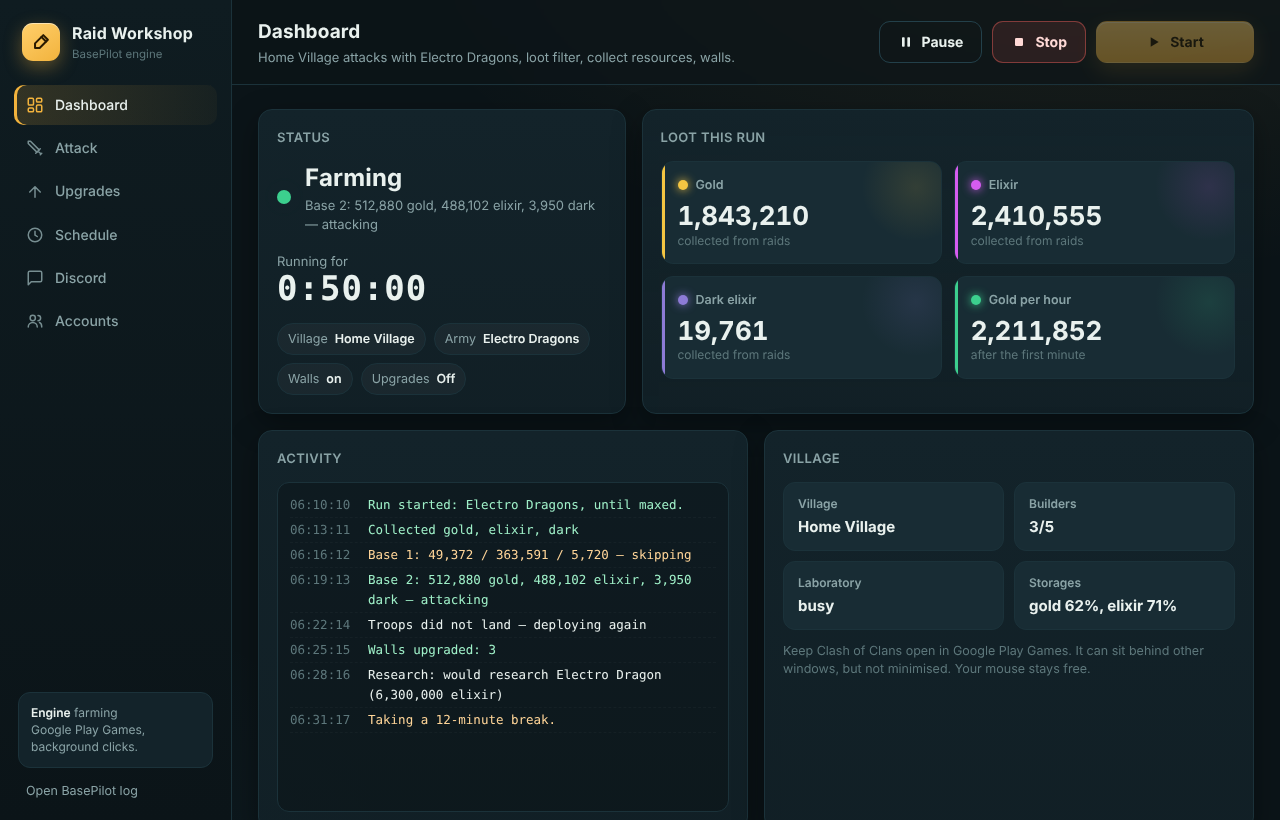
The Raid Workshop window (example numbers; your loot depends on your army, league and settings).
Everything a farming day needs
One window, one Start button. Every step shows up in the live activity feed.
Loot filter
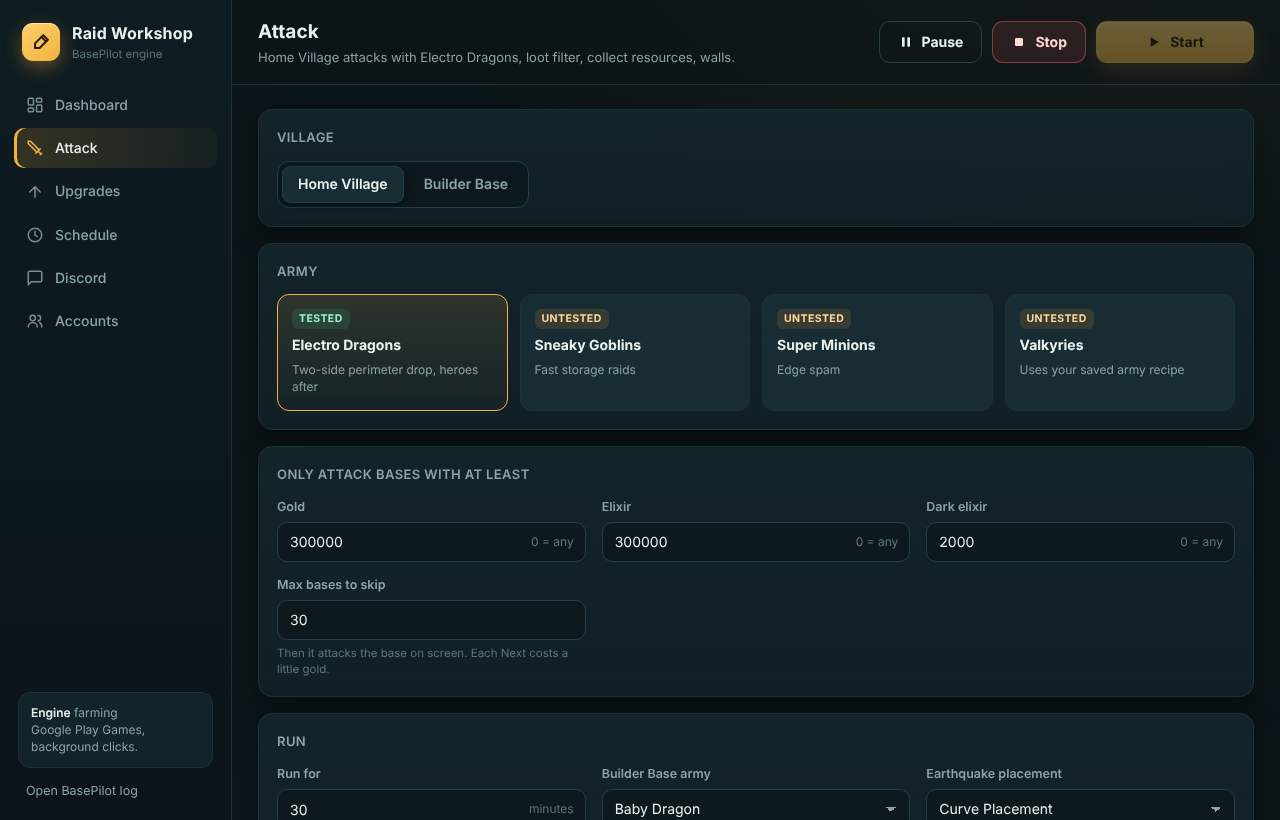
Reads each scouted base and skips anything below your gold, elixir and dark elixir minimums.
Checked deploys
Electro Dragons and more, with heroes. If troops did not land, it zooms out and deploys again.
Walls on autopilot
Buys walls with gold or elixir, most expensive first, until there is nothing left to pay with.
Upgrades and research
Reads the new Buildings and Heroes panel and starts upgrades for you, with a dry-run mode to preview.
Play hours and breaks
Only plays inside your hours, with random breaks between sessions.
Discord control
Status updates on your phone, plus pause, resume, stop and start commands.
The game can sit behind your other windows
Raid Workshop reads and taps inside the Google Play Games window itself, so your mouse stays free.
- No emulator. Uses Google Play Games for Windows.
- Collects resources from mines, pumps and drills.
- Several accounts farmed in turn.
- Settings that make sense: army, minimums, walls, upgrades, schedule.
Running in five minutes
Buy a plan
Pay securely with card, Apple Pay or Google Pay. Your licence key appears right away and is emailed to you.
Download the loader
Unzip it and run Start Raid Workshop. It installs what it needs the first time.
Paste your key
Open the Licence page, paste the key, press Start. The key is tied to that PC.
Pick your plan
Every plan has every feature. One PC per key. The plan time starts when you activate.
Secure checkout by Stripe. We never see or store your card details.
Questions
What do I need?
Windows 10 or 11, Clash of Clans in Google Play Games for Windows at 1920x1080, and Python 3.11 or newer (the loader tells you if it is missing).
When do I get my key?
Immediately after payment, on the confirmation page and by email.
Can I move my key to another PC?
Yes, ask on Discord and we reset it. A key works on one PC at a time.
Does the plan time start when I buy?
No, it starts the first time you activate the key.
Can my account be banned?
Yes. Using automation breaks Supercell's Terms of Service and can lead to a ban. Breaks and play hours only make the bot look less automated; nothing makes it safe. Use it at your own risk.
Refunds?
See the refund policy.